EU Sheets · Features
What moves work forward.
Calculate, check and present results in a traceable way.
01 · Feature in focus
The work starts with the spreadsheet.
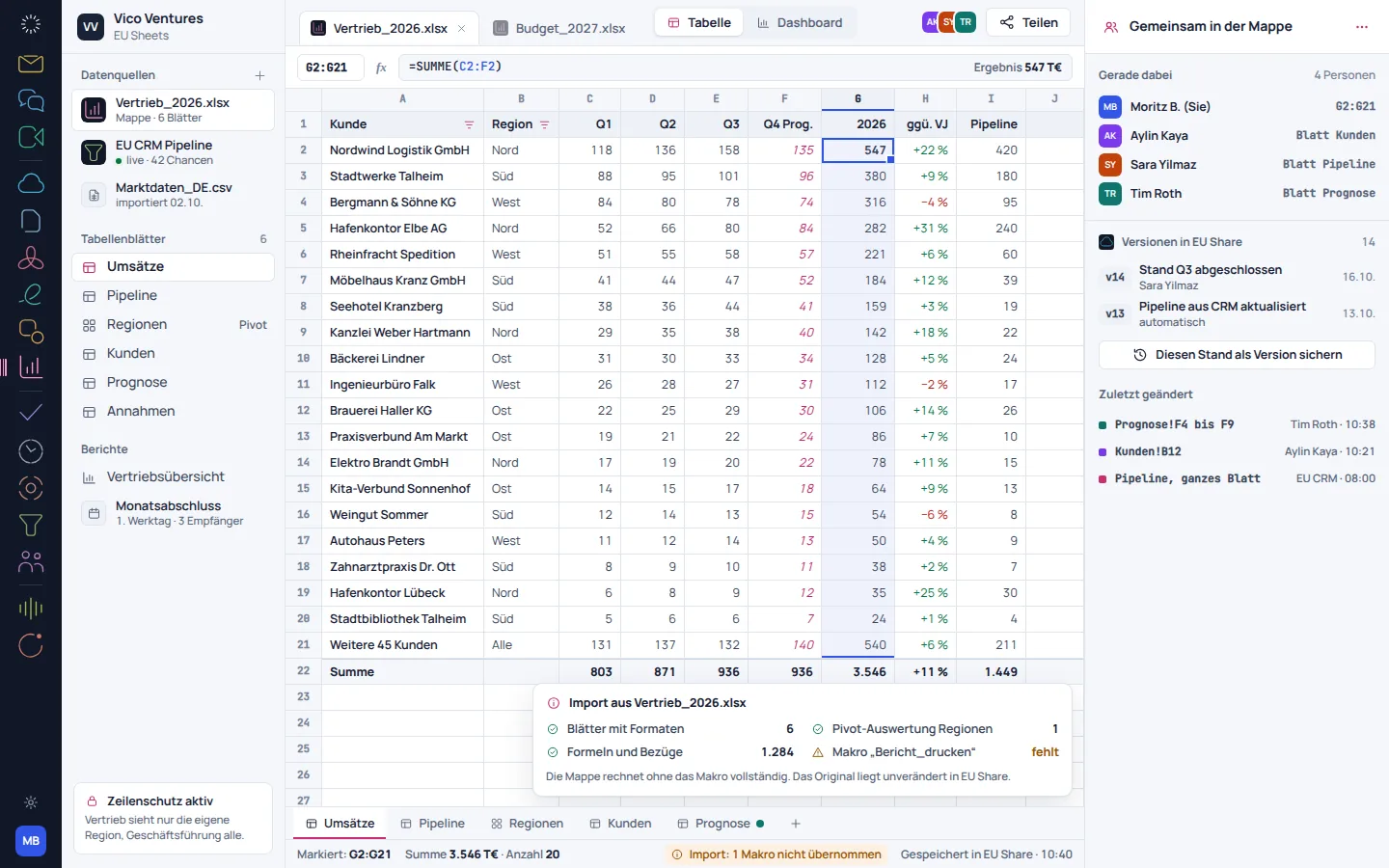
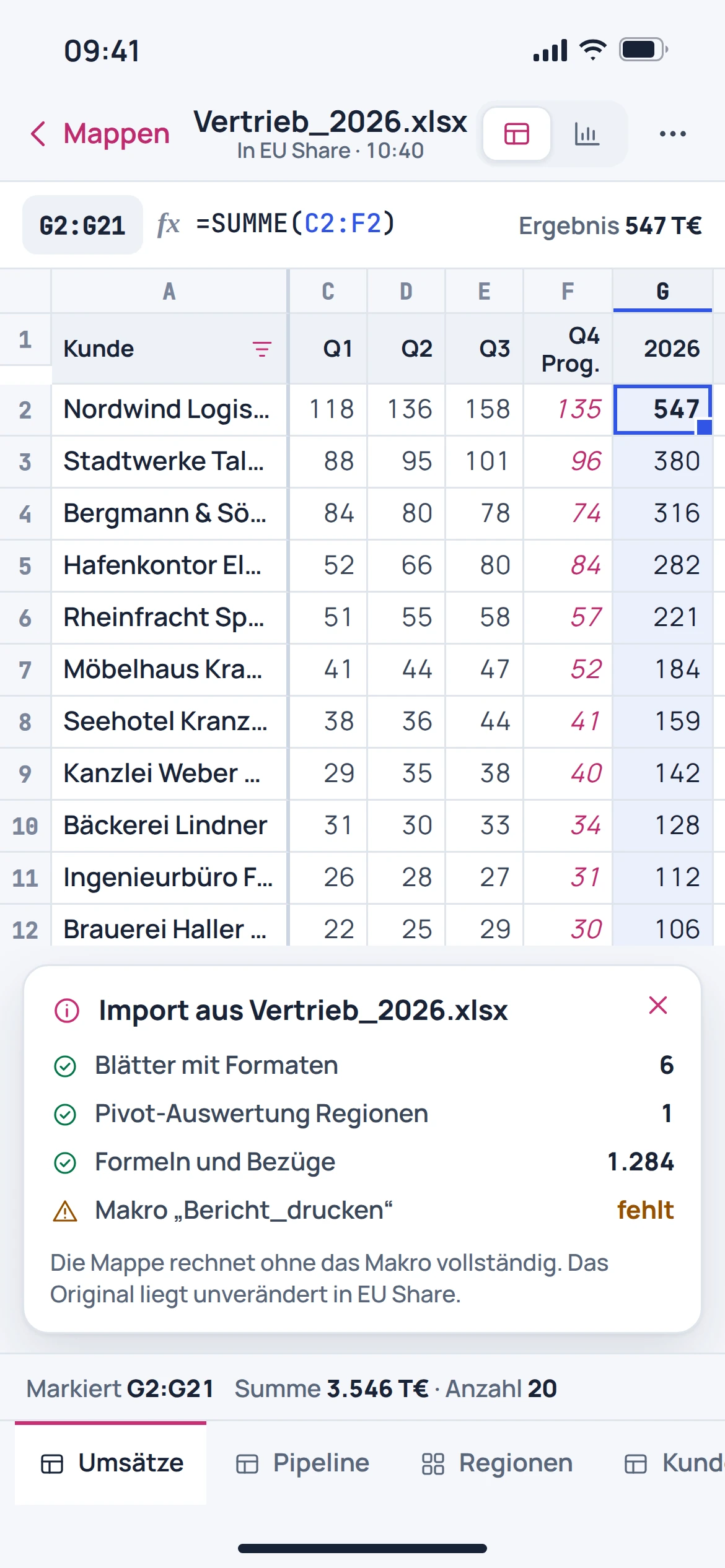
The workbook organises figures and formulas across sheets. The catalogued view shows German formulas, number formats and an embedded chart.
- Organise data in sheets
- Use formulas and number formats
- Present results as a chart
02 · Feature in focus
Analysis needs context.
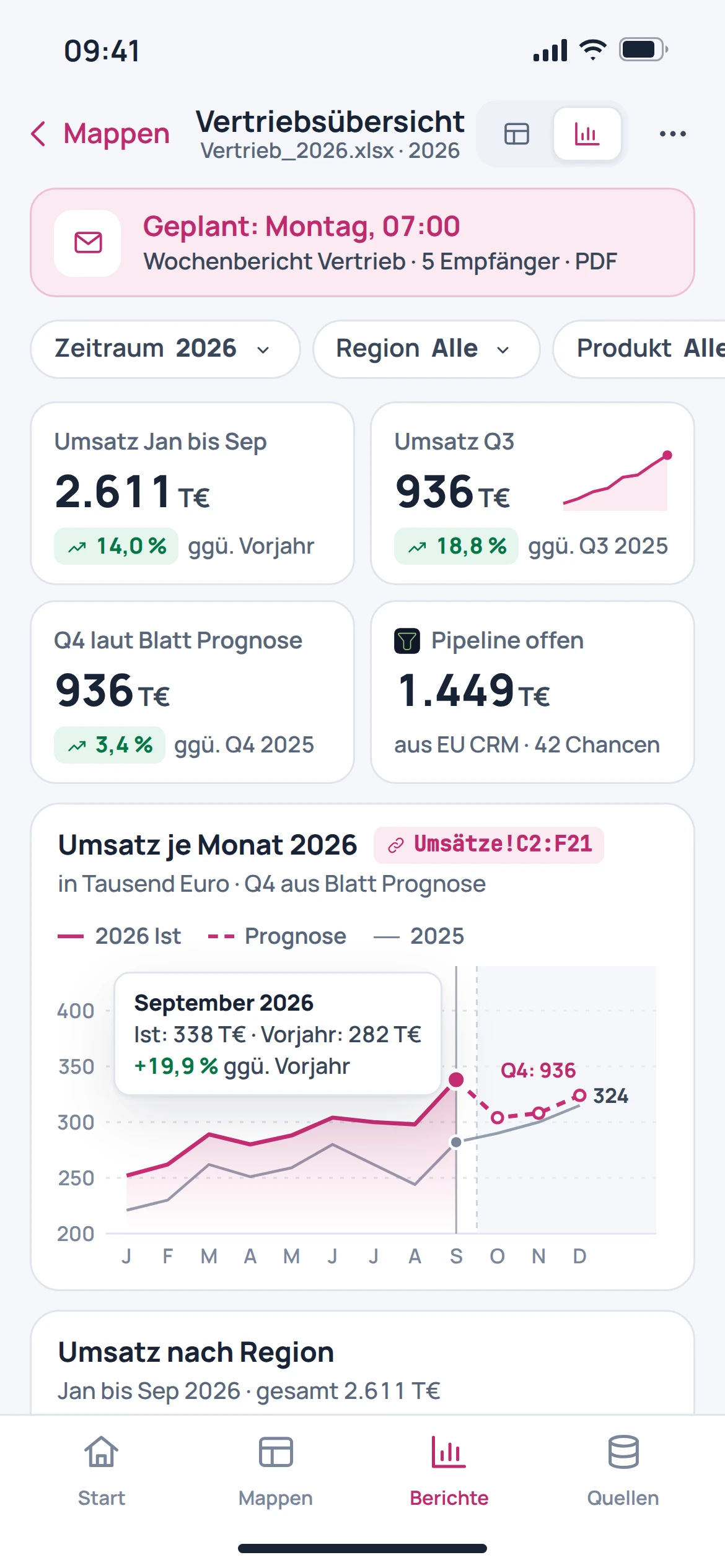
A report presents results in a traceable sequence. The catalogue view shows monthly figures and a forecast view, whose assumptions need to be checked by a subject-matter expert.
- View values over time
- Combine analyses into a report
- Distinguish assumptions from results
03 · Feature in focus
The essentials at a glance.
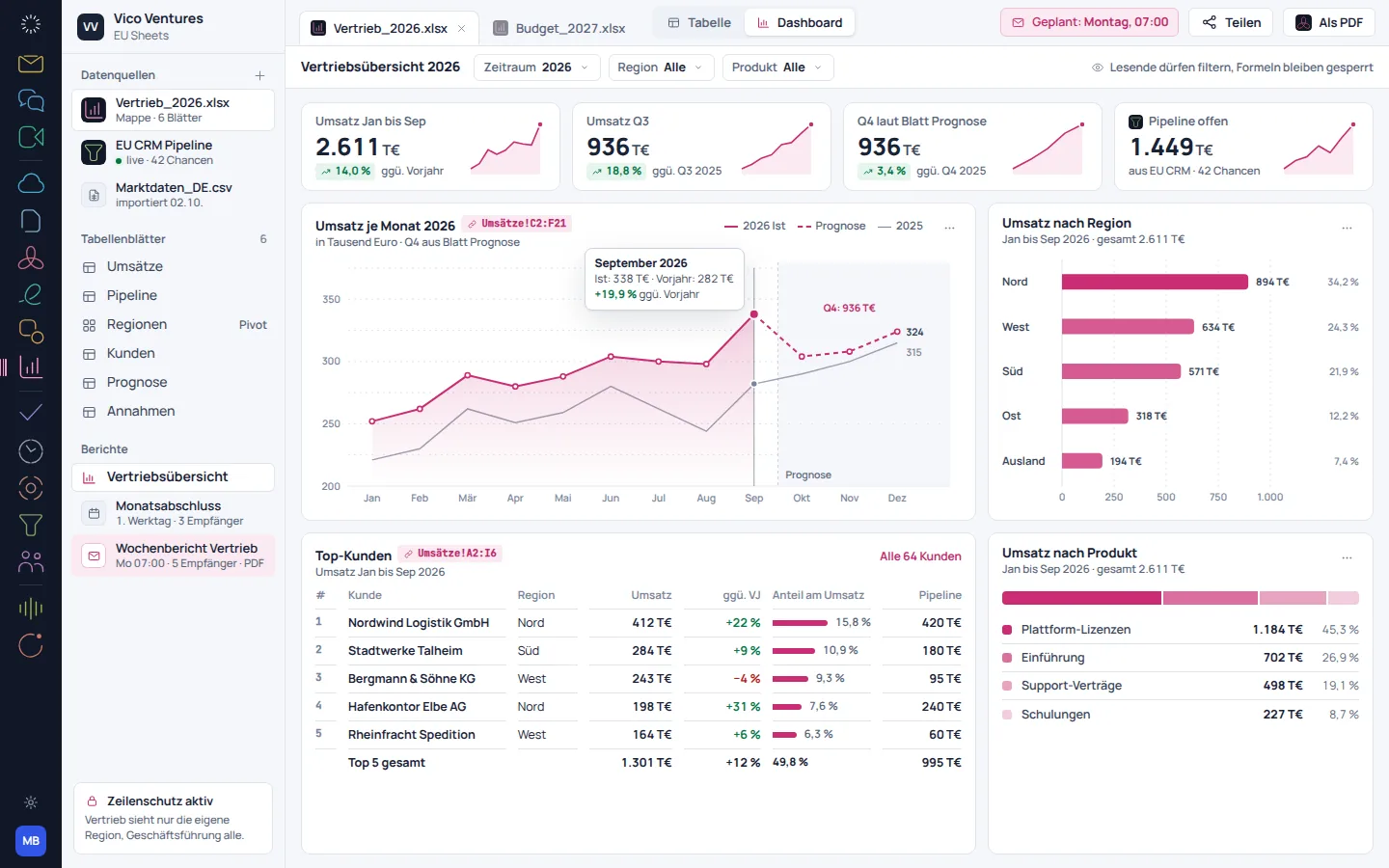
A dashboard brings together metrics, charts and tables. This makes it possible to discuss a result from several perspectives without losing sight of the underlying figures.
- Compile key figures
- Review changes compared with the previous period
- Show charts and tables together
Before getting started
Good to know.
Can I start with existing Excel files?
Workbooks are part of the described use. The specific file should be checked for formulas, formats and charts; full compatibility is not guaranteed.
Are Excel macros executed?
This page does not promise VBA or macro execution. Workbooks with automations require a separate review.
What is the difference between a report and a dashboard?
A report explains an analysis in context. A dashboard brings together multiple metrics and views for a quick overview.
Will a Power BI model be transferred automatically?
An automated provider migration is in preparation. The data sources, relationships and calculations of a BI model are not a simple file transfer.