Work lists
Organise entries in tables and keep the basis for further analysis clear and traceable.
EU SheetsKnowledge
EU Sheets brings together workbooks, analyses and reports. Formulas and views help you check a set of figures and clearly present its key relationships.
Calculate, check and present results in a traceable way.
Work lists
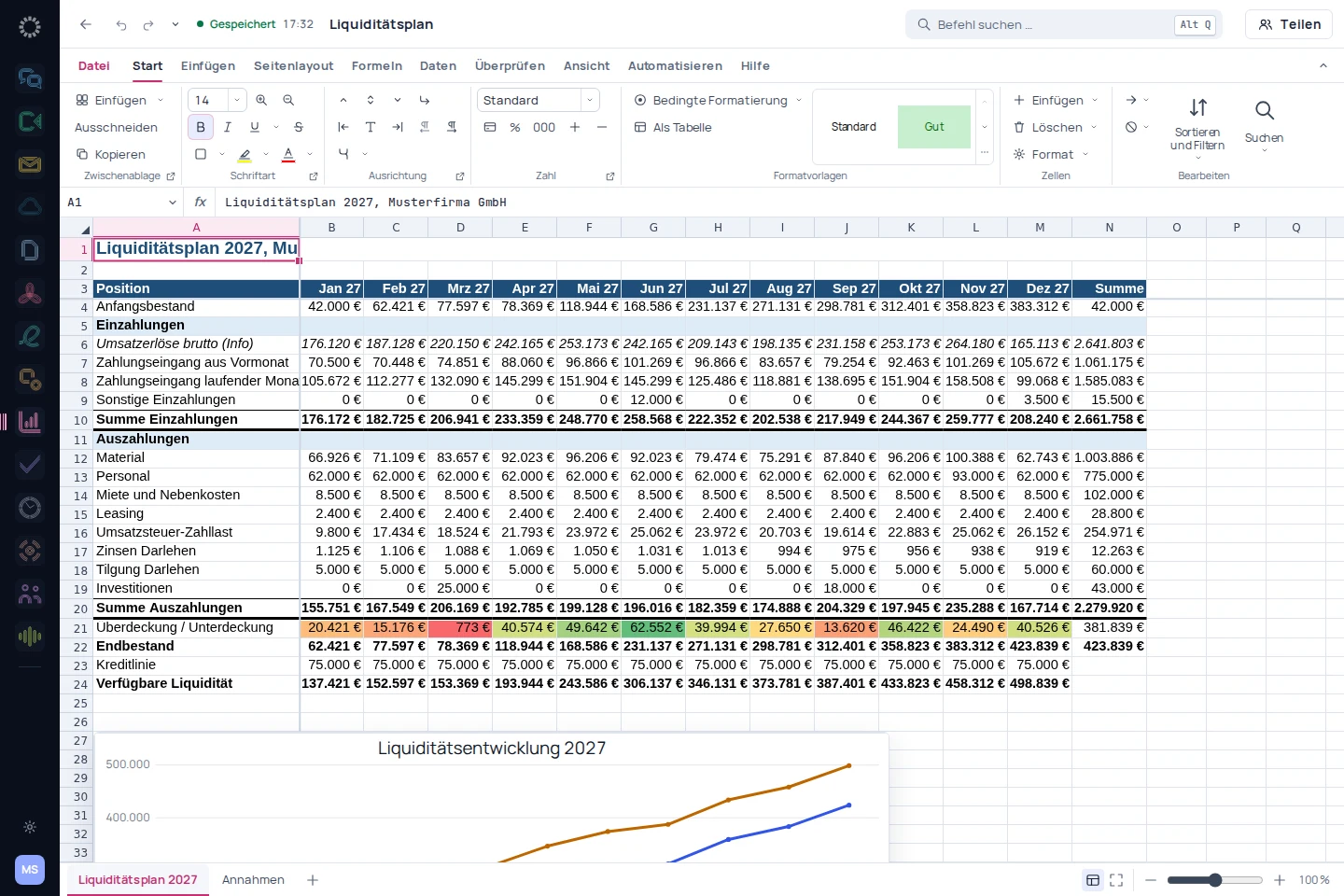
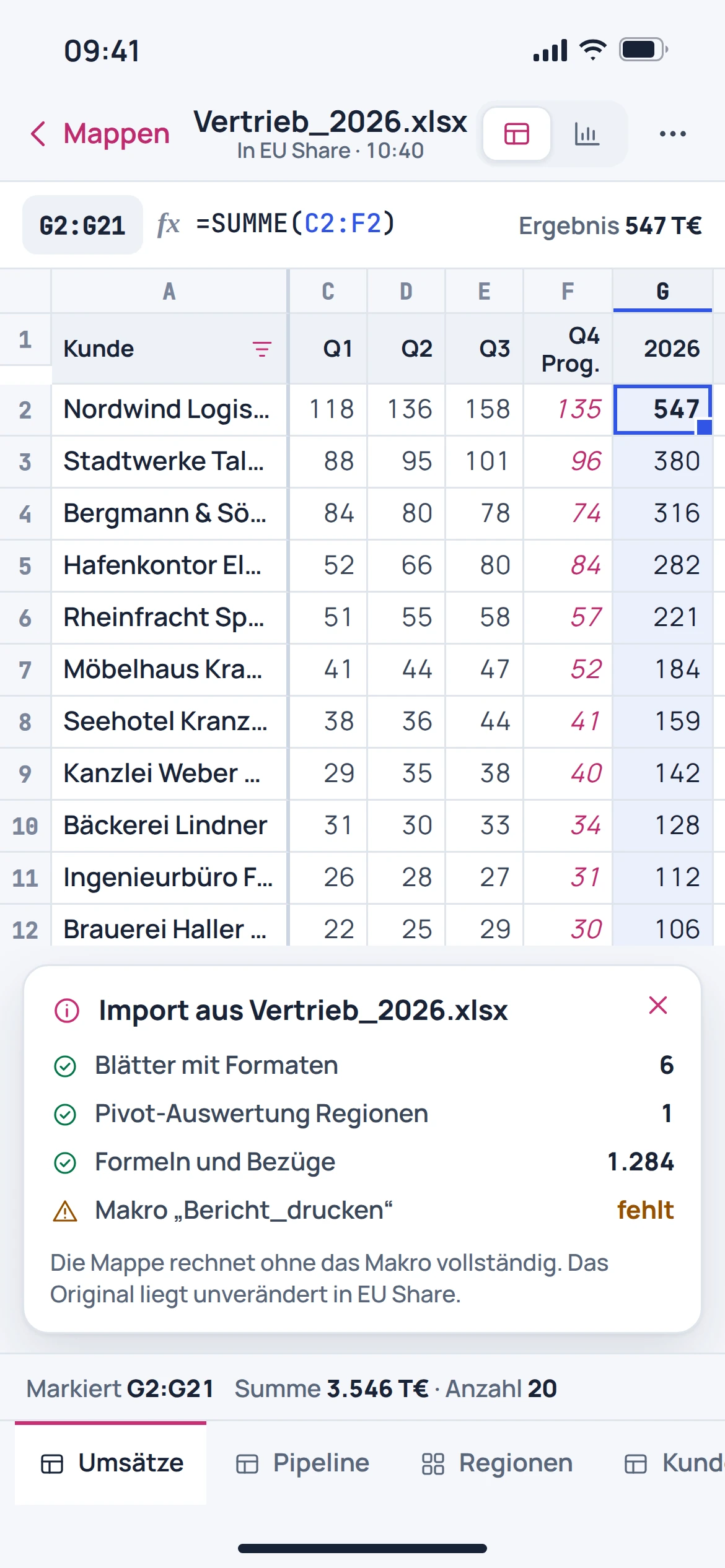
The workbook organises figures and formulas across sheets. The catalogued view shows German formulas, number formats and an embedded chart.
Recurring reports
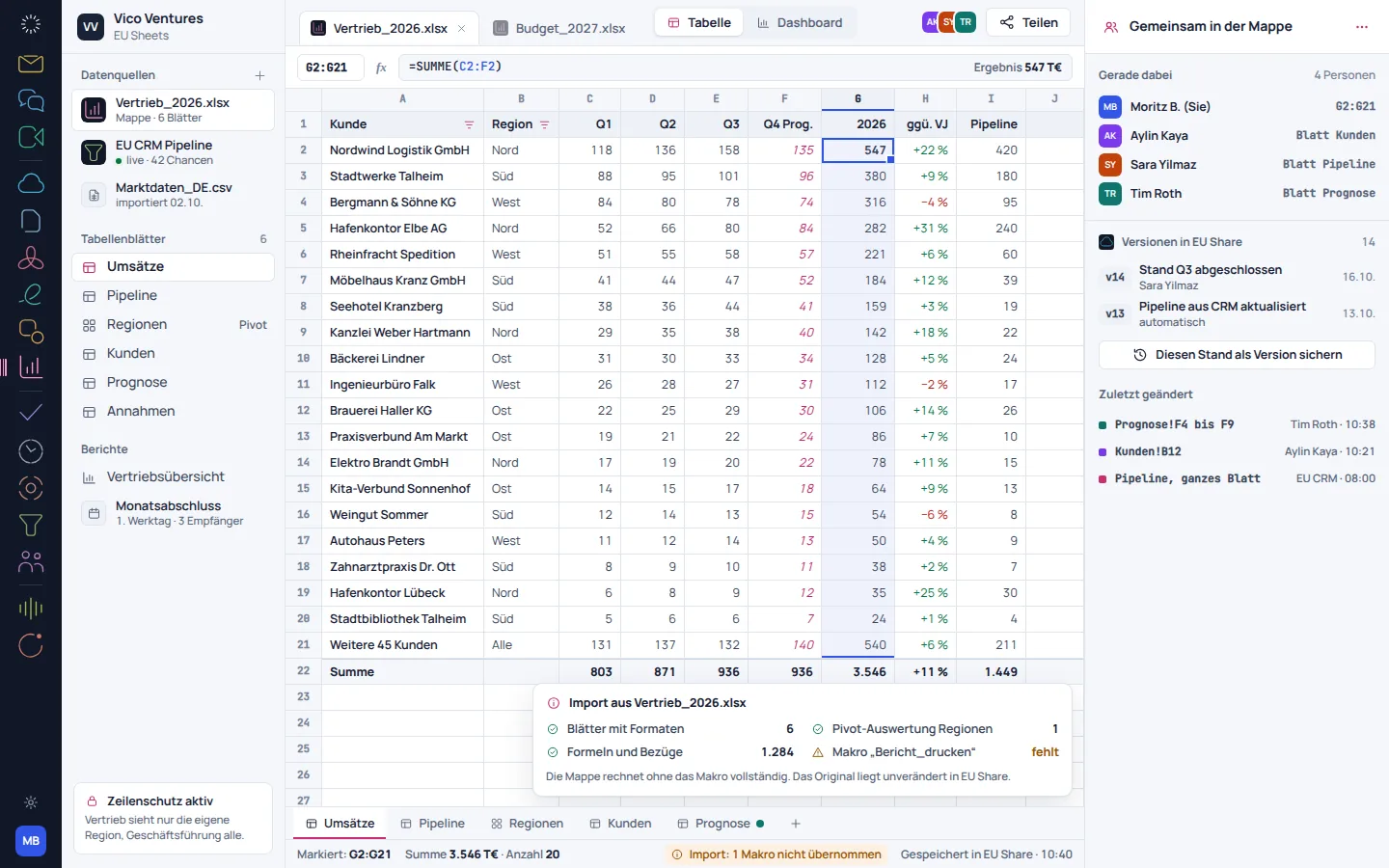
A report presents results in a traceable sequence. The catalogue view shows monthly figures and a forecast view, whose assumptions need to be checked by a subject-matter expert.
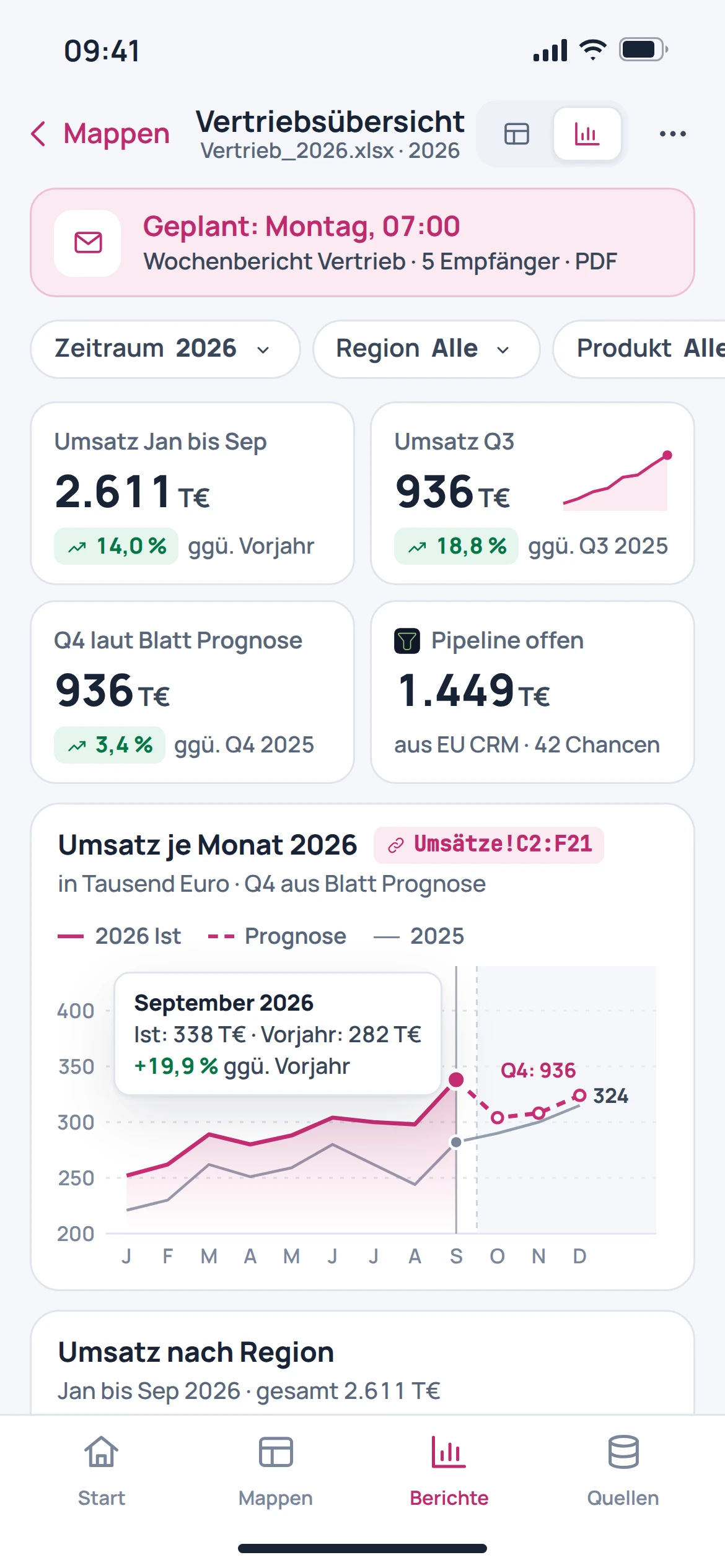
Metrics for discussion
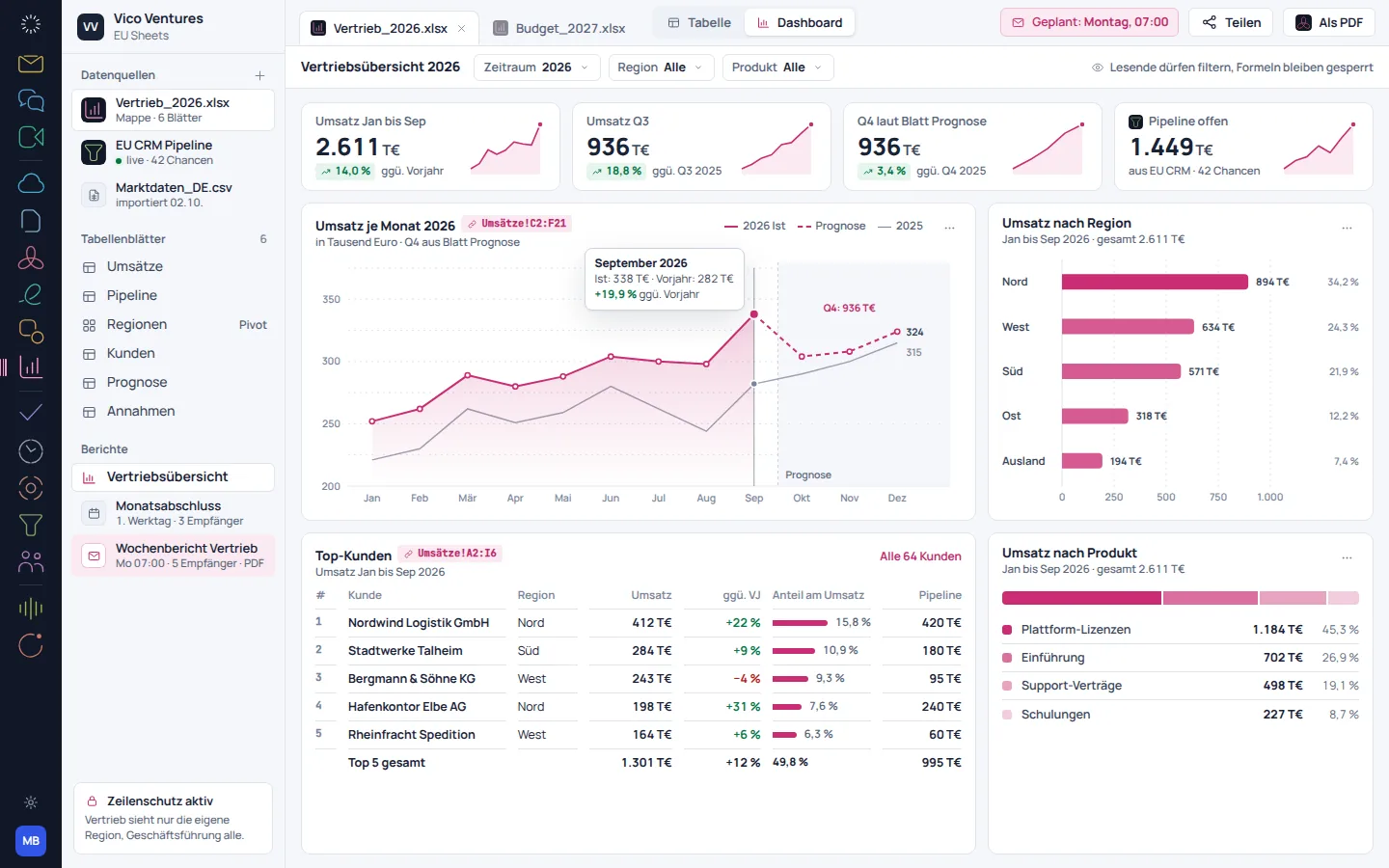
A dashboard brings together metrics, charts and tables. This makes it possible to discuss a result from several perspectives without losing sight of the underlying figures.
From getting started to results
Calculate, check and present results in a traceable way.
Prepare a workbook and check values and number formats.
Add formulas and compare results with known reference values.
Bring the most important results together in a chart, report or dashboard.
EU Sheets in everyday work
Organise entries in tables and keep the basis for further analysis clear and traceable.
Maintain a workbook in a structured way and check figures before sharing them.
Prepare tabular results for a discussion with others.
One account. More possibilities.
Discover the right tools for the next step. Find features and available integrations on each product page.
Switch with confidence
An automatic migration from Google Sheets or Power BI is in preparation. Opening a single workbook does not replace transferring an entire data model.
Check before anything moves
Back up workbooks and the expected results from your current environment.
Compare sheets, formulas, formats and charts using a representative file.
Assess external connections, macros and BI models separately before making a change.
Individually. Together. Right for you.
Free, Basic and Pro for every product. One EU Suite account connects your apps. You manage your selection and access in the Control Centre.
Plan preview · suggested price · Individual
Free
For getting started on your own
0,00 €0,00 €/ month
Free plan
Basic
For your daily work
11,52 €9,60 €/ month
When paying monthly€115.20 with annual billing
Pro
For more advanced workflows
17,28 €14,40 €/ month
When paying monthly€172.80 with annual billing
Suggested prices include 19% VAT for Germany. The commercial feature allocation is planned; binding offers and available services are shown in the control centre. No purchase is made here.
Team adds role and licence management. A 10% surcharge and at least three paid seats per product are planned. Your account type is set in your profile.
Multiple apps, one package
Compare suitable packages in the control centre before deciding.
Before getting started
Workbooks are part of the described use. The specific file should be checked for formulas, formats and charts; full compatibility is not guaranteed.
This page does not promise VBA or macro execution. Workbooks with automations require a separate review.
A report explains an analysis in context. A dashboard brings together multiple metrics and views for a quick overview.
An automated provider migration is in preparation. The data sources, relationships and calculations of a BI model are not a simple file transfer.